


- Why Trust Accounting Requires Specialized Software
- Criteria for Selecting the Best Trust Accounting Software
- #1. Clio
- #2. QuickBooks Online Advanced
- #3. TrustBooks
- #4. CosmoLex
- #5. AppFolio Property Manager
- Comparison Table of the 5 Best Trust Accounting Software Solutions
- What Experienced Managers Look for in Trust Accounting Software
- Final Thoughts
Managing trust accounts requires a high level of accuracy, transparency, and compliance with strict legal and regulatory standards. Whether you’re a legal professional handling client funds, a real estate manager overseeing escrow accounts, or a financial advisor managing investments, the right trust accounting software can streamline your workflows and safeguard your business from compliance risks. This article explores the top 5 trust accounting software solutions available today, offering insights into their key features, pricing, and best use cases. You’ll learn how to choose the right software to meet your specific needs, improve efficiency, and maintain the highest standards of financial management and accountability.
Why Trust Accounting Requires Specialized Software
Compliance and Regulatory Requirements
Trust accounting is subject to stringent regulations that vary by industry and jurisdiction. Legal professionals, for example, must comply with American Bar Association (ABA) rules and state-specific regulations such as Interest on Lawyers’ Trust Accounts (IOLTA) requirements. Financial advisors and real estate managers also face strict guidelines to prevent the commingling of client and operational funds. Specialized trust accounting software ensures compliance by automating tasks such as maintaining separate ledgers, generating audit-ready reports, and setting up alerts for potential compliance issues.
Managing Client Funds Transparently
Transparency is crucial in trust accounting to maintain client trust and meet regulatory standards. Specialized software provides clear and detailed records of all transactions, making it easier to generate accurate statements and provide clients with a real-time view of their funds. This transparency is particularly beneficial in scenarios such as managing escrow accounts in real estate or handling client retainers in legal practices.
Reducing Errors and Improving Efficiency
Manual trust accounting processes are prone to errors that can lead to financial discrepancies and compliance violations. Trust accounting software minimizes these risks by automating reconciliations, interest calculations, and transaction tracking. It also improves efficiency by streamlining billing, invoicing, and reporting tasks, allowing professionals to focus on delivering high-quality services rather than being bogged down by administrative work.
Enhanced Security and Data Integrity
Managing trust accounts involves handling sensitive financial information. Trust accounting software offers robust security features such as data encryption, secure access controls, and automatic backups. These tools help protect client data from unauthorized access and ensure data integrity, which is particularly important for legal and financial professionals dealing with confidential client funds.
Criteria for Selecting the Best Trust Accounting Software
Key Features to Consider
1. Compliance and Regulatory Tools
One of the most critical criteria for trust accounting software is its ability to support compliance with legal and regulatory standards. Look for software that offers built-in compliance features such as automated trust reconciliation, three-way trust account reconciliation, and the ability to generate compliance-ready reports. These tools help avoid violations and maintain the integrity of client funds, which is particularly crucial for legal practices following ABA or IOLTA guidelines.
2. Accounting and Financial Management
The software should offer robust accounting functionalities, including general ledger management, double-entry accounting, automated billing, and invoicing. Trust accounting often requires separating client funds from operating funds, and specialized software can help manage these distinctions through features like trust-specific ledgers and expense tracking.
3. Automation and Workflow Efficiency
Automated workflows can significantly reduce manual data entry and streamline accounting tasks. Look for software that automates tasks such as invoice generation, payment processing, and transaction recording. Automated alerts for potential discrepancies or compliance issues can also be a valuable feature.
4. Security and Data Protection
Since trust accounting involves managing sensitive financial information, robust security features are non-negotiable. Essential security measures include data encryption, multi-factor authentication, role-based access controls, and regular data backups. These features help prevent data breaches and ensure that client information remains confidential.
5. Integration Capabilities
The best trust accounting software integrates seamlessly with other business tools, such as practice management software, CRM systems, and standard accounting platforms like QuickBooks. Integration capabilities reduce duplicate data entry and improve efficiency by allowing data to flow smoothly between systems.
6. User Experience and Support
A user-friendly interface is important, especially for professionals who may not be accounting experts. Consider software with intuitive navigation, easy-to-use features, and access to tutorials or customer support. Reliable support options, including live chat, phone support, and training resources, can make a big difference in getting the most out of the software.
Evaluating Software Based on Your Specific Needs
1. Industry-Specific Requirements
Different industries have unique trust accounting needs. For example, law firms might need IOLTA compliance, while real estate firms may require escrow management features. Financial advisors might prioritize investment tracking and fund management tools. Choose software that aligns closely with the specific requirements of your industry.
2. Scalability and Flexibility
Consider whether the software can grow with your business. For small firms, a simple, cost-effective solution might work well, but larger firms or those planning to scale may need advanced features such as multi-user access, custom reporting, and advanced integrations.
3. Budget and Pricing Models
Trust accounting software typically comes in a range of pricing models, from subscription-based SaaS platforms to one-time purchase software. Evaluate not only the upfront costs but also the long-term value, including potential savings through automation and compliance risk reduction. Free trials and demos can help assess whether the software is worth the investment.
By evaluating the top software tools based on these criteria, we arrived at a top 5 ranking.
#1. Clio

Overview: Clio is a leading trust accounting software designed specifically for law firms. It offers robust tools for managing client funds, billing, and compliance.
Key Features:
- Built-in IOLTA compliance tools
- Automated three-way trust reconciliations
- Customizable billing and invoicing
- Integration with Clio Grow and other practice management tools
- Role-based access controls and advanced security features
Pricing: Starts at $39 per user per month, with higher tiers offering more advanced features.
#2. QuickBooks Online Advanced

Overview: QuickBooks is a versatile accounting solution that also supports trust accounting needs, particularly for small to mid-sized businesses and firms.
Key Features:
- Customizable chart of accounts for trust-specific ledgers
- Automated invoicing and payment processing
- Strong integration capabilities with legal and property management software
- Detailed reporting and analytics tools
- Multi-user access with permissions settings
Pricing: Starts at $200 per month, with discounts available for annual plans.
#3. TrustBooks
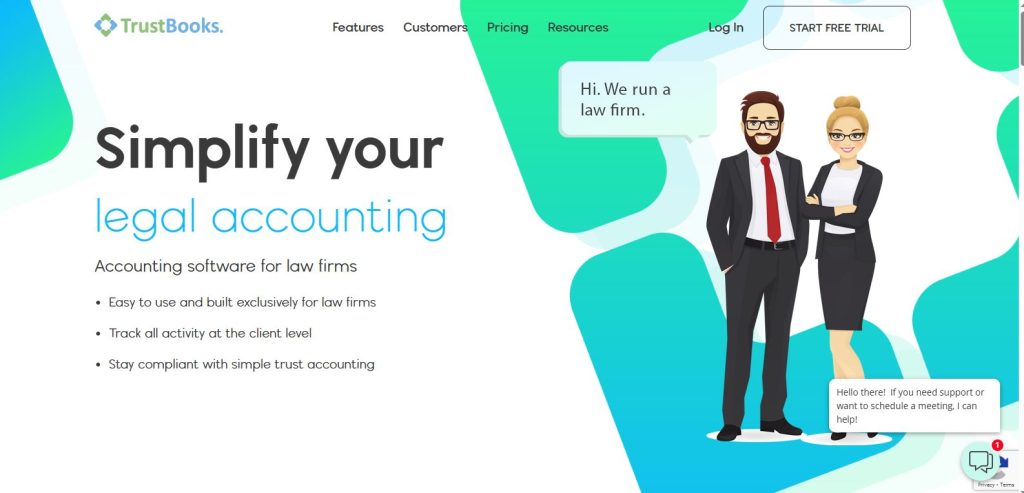
Overview: TrustBooks is a niche software specifically built for legal professionals needing robust trust accounting features.
Key Features:
- Simplifies compliance with ABA and state bar regulations
- One-click three-way reconciliation reports
- Built-in tools for tracking deposits, disbursements, and client balances
- Integrates seamlessly with QuickBooks Online
- User-friendly dashboard with compliance alerts
Pricing: Starts at $49 per user per month.
#4. CosmoLex
Overview: CosmoLex combines legal practice management with trust accounting software, making it ideal for small to mid-sized law firms.
Key Features:
- All-in-one accounting and practice management platform
- Compliant with IOLTA and state-specific trust accounting rules
- Automated trust bank reconciliations and financial reporting
- Supports both legal billing and general accounting
- Integrates with LawPay for secure payment processing
Pricing: $99 per user per month, including all features without needing third-party integrations.
#5. AppFolio Property Manager
Overview: AppFolio is designed for real estate professionals and property managers, offering trust accounting features tailored to managing client and tenant funds.
Key Features:
- Specialized tools for escrow and security deposit management
- Automated rent collection and payment tracking
- Compliance features for managing client and tenant trust accounts
- Built-in accounting suite with robust reporting tools
- Scalable solutions for managing portfolios of all sizes
Pricing: Starts at $1.40 per unit per month, with a minimum monthly fee of $280.
Comparison Table of the 5 Best Trust Accounting Software Solutions
| Software | Best For | Key Features | Pricing | Compliance Tools | Integration Options |
| Clio | Law firms needing management tools | IOLTA compliance, trust ledger, reporting | $39/month per user | ✅ Yes | ✅ Practice management |
| TrustBooks | Simple, dedicated trust accounting | Reconciliation, QuickBooks integration | $69/month | ✅ Legal compliance | ✅ QuickBooks |
| CosmoLex | All-in-one legal & accounting | Trust accounting, billing, matter management | $89/month per user | ✅ Full legal support | ✅ Practice management |
| QuickBooks + Add-ons | General accounting + trust features | Customizable trust accounting, reporting | $30 – $200/month | ✅ With add-ons | ✅ Broad integrations |
| PracticePanther | Legal practices with billing needs | Automated workflows, IOLTA compliance | $49/month per user | ✅ Yes | ✅ Accounting software |
What Experienced Managers Look for in Trust Accounting Software
Compliance and Legal Safeguards
Experienced managers understand that compliance is not just a feature but a critical necessity. They look for software with built-in compliance tools that simplify meeting legal and regulatory standards, such as IOLTA or escrow account regulations. Key features include automated three-way reconciliations, audit trails, and compliance reporting tools. Managers also value software that offers alerts for potential compliance risks, helping avoid costly fines and legal issues.
Automation and Efficiency Gains
Veteran managers prioritize software that automates repetitive and error-prone tasks. Automation in trust accounting can include recurring billing, payment processing, and reconciliations. The ability to set up workflows that minimize manual intervention not only saves time but also reduces the likelihood of human error. Managers know that automating these processes allows their teams to focus on higher-value tasks, such as client communication and strategic planning.
Customization and Flexibility
Not all trust accounting needs are the same, and experienced professionals recognize the importance of customization. They prefer software that allows them to create custom reports, modify billing templates, and adapt accounting workflows to fit their specific business models. This flexibility is especially important in industries like legal and real estate, where client and fund management requirements can vary widely.
Scalability and Growth Support
Managers with long-term growth in mind look for software that can scale with their organization. This includes features like multi-user access, advanced reporting, and support for managing larger volumes of transactions. Scalable software can handle the increasing complexity of trust accounting as a business expands, ensuring that processes remain efficient and compliant.
Integration with Other Tools
To maintain efficient operations, experienced managers choose trust accounting software that integrates well with other business systems. This might include legal practice management tools, property management systems, or general accounting software like QuickBooks. Seamless integrations help maintain data consistency across platforms and reduce the need for manual data entry.
Client Communication and Transparency
Trust accounting often involves managing funds on behalf of clients. Managers with experience in client-facing roles appreciate software that enhances transparency by offering client portals, detailed account statements, and real-time access to account information. These tools help build trust with clients and streamline communication, particularly when handling sensitive financial information.
Robust Reporting and Analytics
Experienced managers value software that offers detailed and customizable reporting features. This includes generating compliance reports, financial statements, and performance analytics. Advanced reporting tools not only assist in daily accounting tasks but also support strategic decision-making by providing insights into financial health and operational efficiency.
Final Thoughts
Selecting the best trust accounting software is a critical decision that can impact both compliance and operational efficiency. The right solution not only simplifies complex trust accounting tasks but also provides the necessary tools to maintain compliance with industry regulations, safeguard client funds, and streamline day-to-day financial management.
In this article, we’ve highlighted five of the top trust accounting software solutions, each offering unique strengths tailored to different industries and business sizes. Whether you are managing legal trust accounts, real estate escrow funds, or financial advisory client accounts, there is a software option that aligns with your specific needs. Clio and CosmoLex excel in the legal sector with strong compliance features, while AppFolio shines in real estate management with its escrow and tenant fund management tools. QuickBooks Online Advanced offers versatility for a range of industries, and TrustBooks provides a focused, user-friendly approach for smaller legal practices.
Experienced managers often emphasize the importance of features like automation, integration, and scalability when choosing trust accounting software. By evaluating these aspects alongside your organization’s specific requirements, you can select a solution that not only meets your current needs but also adapts as your business grows.
Ultimately, the best trust accounting software will provide peace of mind, knowing that your financial processes are efficient, transparent, and fully compliant. Take advantage of free trials and demos where available, involve your accounting and compliance teams in the evaluation process, and consider both immediate needs and long-term goals. With the right tools in place, you can focus on building trust with your clients and driving your business forward.
